Overview
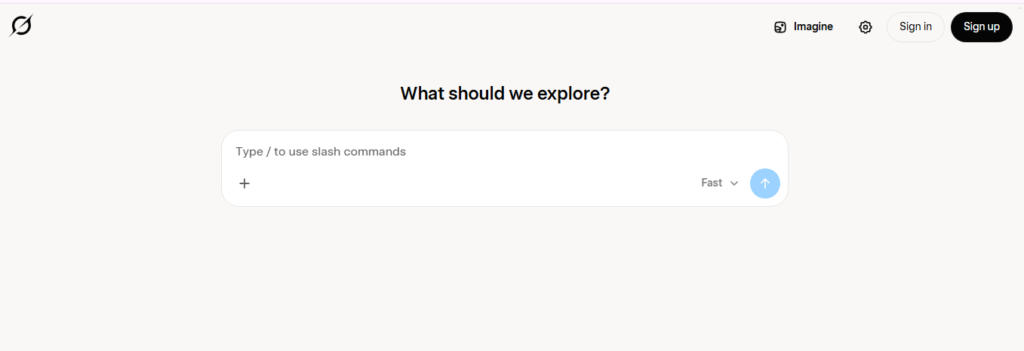
Grok is an AI assistant from xAI designed for conversational work, research, writing, reasoning, search, coding, and creative tasks. It is available through the web and mobile apps, with conversations and settings synchronized across supported platforms. Current Grok capabilities also include image and video creation, voice conversations, file analysis, and connectors.
I tested Grok’s workflow around its access to live X information, DeepSearch research mode, and its ability to produce writing with a more direct and confident personality. The testing explored how Grok can use current X posts and web information when answering questions, making it useful for topics where recent information matters.
I also explored the creative side of Grok through its Imagine functionality. The walkthrough demonstrated using Imagine to create images and videos, providing a faster creative workflow than treating image generation as a completely separate application. Current official information confirms that Grok Imagine supports text-to-image, text-to-video, image-to-video, editing, and restyling.
Grok is particularly useful for researchers, writers, marketers, developers, content creators, and users who want an AI assistant that can combine conversational reasoning with current information. Its live web and X search capabilities are especially relevant for monitoring breaking topics, trends, public discussions, and other fast-changing subjects.
Beyond the areas covered in the hands-on test, current Grok supports file uploads for PDFs, images, spreadsheets, code, audio, and other content, along with voice conversations, connectors, coding, vision understanding, custom instructions, memory, and Grok Build.
Pricing & Plans
Grok has a Free plan with limited access and paid SuperGrok plans with higher limits and additional capabilities. The current official pricing page lists SuperGrok at $30/month and SuperGrok Plus at $100/month.
Key Features
- Real-Time Search
Search the web and X for current information
- Deep Research
Combine online sources and social information for research workflows
- File Analysis
Analyze uploaded PDFs, images, spreadsheets, code and audio
- Voice Mode
Interact with Grok using voice
- Image and Video Generation
Create media through Grok Imagine
- Connectors
Connect supported email, files and calendar tools
Popular Use Cases
- Trend Research
Investigate current topics using web and social information
- Document Analysis
Extract or summarize information from uploaded files
- Content Creation
Draft text and create visual media from prompts
- Current-Event Research
Explore fast-changing information using real-time search
- Idea Development
Brainstorm and refine concepts through conversational interaction
Best For
- Researchers
- Content Creators
- Social Media Professionals
- Analysts
- General AI Users
What to Verify Before Choosing
- Check current plan limits and regional availability
- Verify which search and X capabilities are included in the selected plan
- Review current image and video generation limits
- Confirm supported file types and upload limits for your workflow
- Review connector permissions before linking email, files or calendars
Frequently Asked Questions
What is Grok?
Grok is xAI's conversational AI assistant for chat, research, file analysis, voice and multimodal creation.
Is Grok free?
Yes. xAI offers a Free plan with limited access, while paid SuperGrok plans provide higher limits and additional features.
How much does Grok cost?
The current official pricing page lists SuperGrok at $30/month and SuperGrok Plus at $100/month.
Can Grok analyze files?
Yes. Official documentation says Grok can analyze PDFs, images, spreadsheets, code, audio and other supported files.
Who is Grok best for?
Grok is useful for users who want conversational AI combined with real-time web and X search and multimodal creation.
