Overview
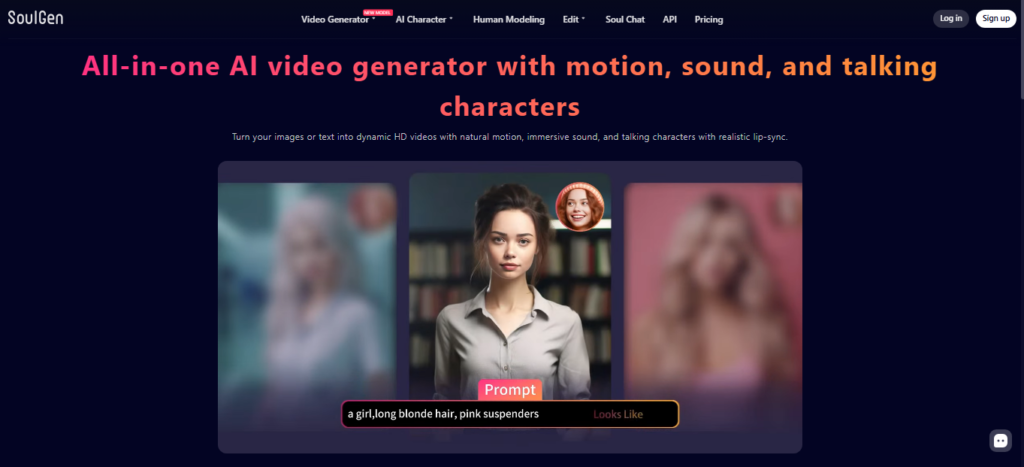
SoulGen AI is an AI-powered image and video generation platform designed to turn text prompts and reference images into visual content. It supports realistic and anime-style image creation and has expanded into AI video generation, image editing, outpainting, character creation, and related creative tools. The platform is designed for users who want to create visual content without advanced design skills.
I tested SoulGen AI’s image-generation workflow on an iPad, starting by selecting a visual style and entering a descriptive prompt. The testing covered the process of creating an image, reviewing the generated result, and exploring the available creative controls. I also explored the image-editing workflow, including refining an image with additional prompts and using reference imagery.
The hands-on walkthrough also covered SoulGen’s outpainting capability, which allows an existing image to be expanded beyond its original frame. I explored the video-generation workflow as well, selecting an image and supplying a prompt to turn the still image into an animated video. The current platform continues to offer image-to-video and text-to-video workflows.
SoulGen AI can be useful for character designers, visual storytellers, visual-novel creators, social media creators, and people experimenting with AI-generated artwork. Its combination of image generation, editing, character tools, and video generation makes it more versatile than a basic text-to-image generator.
The current SoulGen platform also provides AI Character, Smart Edit, Classic Edit, Human Modeling, Image to Video, Video Extend, Reference to Video, and Text to Video tools. These additional capabilities should be evaluated separately if they are central to your workflow.
Pricing & Plans
SoulGen offers free access for trying the service, with generation requiring credits. Its current Pro subscription terms list $12.99 per month and state that Pro includes 100 credits per month, removal of blur, priority queue access, multitasking, and other premium capabilities. Current credit consumption varies significantly by feature and model. For example, the official pricing page lists different credit requirements for image-to-video, text-to-video, Smart Edit, Classic Edit, AI Character, and Soul Chat. Video costs also vary according to model, resolution, duration, and whether audio is enabled.
Key Features
- Text-to-Image Generation
Create AI images from descriptive prompts in realistic and anime-oriented styles.
- Image Editing
Modify generated or uploaded images using text-based instructions and editing workflows.
- AI Outpainting
Extend an existing image beyond its original boundaries and add new visual elements.
- Image-to-Video
Animate an image with a text prompt and create AI-generated video content.
- AI Characters
Create AI characters using dedicated character-generation workflows and reference inputs.
- Reference-Based Creation
Use reference images to guide character and visual-generation results.
Popular Use Cases
- Character Design
Create original realistic or anime-style characters for creative projects.
- Visual Novels
Generate character artwork and visual scenes for interactive storytelling.
- Storyboards
Develop visual concepts and scene ideas before producing a finished project.
- Social Media Content
Create images and short AI-generated videos for social platforms.
- AI Video Creation
Turn images or text prompts into animated visual content.
- Creative Experimentation
Explore different styles, prompts, characters, and image-editing concepts.
Best For
- Character designers
- Visual-novel creators
- Social media creators
- Digital artists and AI-art enthusiasts
- Storytellers and creative teams
What to Verify Before Choosing
- Check the current credit cost for the specific image or video model you plan to use.
- Compare monthly credits with your expected generation volume before choosing Pro.
- Verify current video duration, resolution, audio, and model availability.
- Review the current rules for commercial use and permitted content.
- Check how long generated creations are retained and whether important work should be downloaded promptly.
- Confirm whether the mobile experience supports the exact generation and editing features you need.
Frequently Asked Questions
What is SoulGen AI?
SoulGen AI is an AI-powered image and video creation platform that supports realistic and anime-style generation, image editing, outpainting, character creation, and AI video tools.
Does SoulGen AI generate videos?
Yes. SoulGen currently supports image-to-video and text-to-video generation, with different models, durations, resolutions, and credit requirements available.
What did I test in SoulGen AI?
I tested the image-generation workflow on an iPad, explored style and prompt controls, reviewed generated results, examined image refinement and outpainting, and demonstrated image-to-video generation.
How much does SoulGen AI cost?
SoulGen has free access with credit-based usage, while its current Pro subscription terms list $12.99 per month and 100 credits monthly.
Can SoulGen AI edit existing images?
Yes. SoulGen provides AI image editing and outpainting tools that can modify images, add or remove elements, and extend an image beyond its original boundaries.