Overview
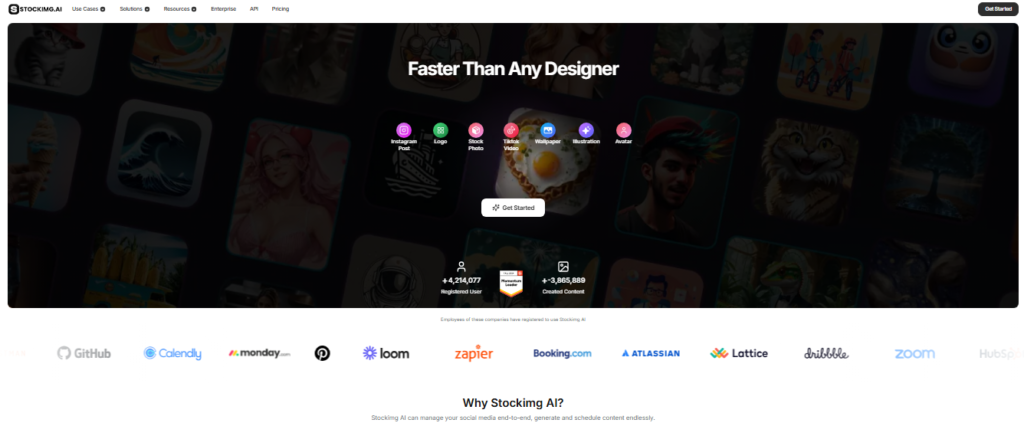
Stockimg AI is an AI-powered visual content and design platform that helps users create a wide range of digital assets from prompts. Its tools cover logos, stock images, social media content, posters, illustrations, wallpapers, product visuals, thumbnails, videos, and other creative formats. The platform also combines AI generation with editing and social media management features.
I tested the Stockimg AI dashboard and explored its main creation workflow, including the Home section, Prompt Library, Canvas Editor, and different generation categories. I also worked through the logo creation workflow, where I could describe the desired design, select a color palette, choose output quality, and explore different creative options. The Canvas Editor provided controls for dimensions, models, templates, images, text, shapes, drawing tools, colors, and other design elements.
The testing showed that Stockimg AI is structured as more than a simple text-to-image generator. The Canvas Editor is designed to let users refine generated visuals, while the Prompt Library provides ready-made prompts that can be used as starting points. I also explored the platform’s conversational AI assistant, which can guide users through creative tasks such as developing a logo concept.
Stockimg AI is particularly useful for entrepreneurs, marketers, content creators, freelancers, small businesses, and teams that need to produce visual assets without relying entirely on separate design software. It can also be useful for social media workflows because the platform supports content generation, editing, scheduling, and social integrations.
Beyond the areas I tested, Stockimg AI currently promotes social media management, AI video generation, image editing, product photography, avatars, and other visual-generation categories. Its official platform also provides an API for developers who want to integrate AI image generation into their own applications.
Pricing & Plans
Stockimg AI currently offers a free account with limited features. Its official pricing information states that paid subscription plans range from $19 to $29 per month, depending on the selected plan and billing configuration. Custom enterprise plans are also available for organizations with larger or specialized requirements. The platform also has a separate usage-based API offering. API pricing varies by generation model and operation, with individual image-generation costs starting at a few cents for several supported models. Because pricing, credits, and available features can change, users should verify the current plan details before purchasing.
Key Features
- AI Visual Generation
Generate visual content from text prompts across multiple creative categories.
- Canvas Editor
Edit and refine generated designs with layouts, text, images, shapes, drawing tools, colors, and other controls.
- Prompt Library
Browse ready-made prompts that can provide starting points for different image-generation tasks.
- Logo Generator
Create AI-assisted logo concepts based on brand descriptions, company information, colors, and design preferences.
- Social Media Creation
Generate and manage visual content intended for platforms such as Instagram, Facebook, LinkedIn, Pinterest, and X.
- AI Image Editing
Modify generated or uploaded visuals with AI-powered editing tools, including background removal and image enhancement.
Popular Use Cases
- Logo Creation
Generate initial logo concepts for businesses, brands, projects, and online ventures.
- Social Media Content
Produce visual posts, stories, ads, and other social-media-ready creative assets.
- Marketing Design
Create posters, advertisements, promotional graphics, product visuals, and branding materials.
- Content Creation
Generate illustrations, thumbnails, wallpapers, stock-style images, and other visual assets.
- E-commerce Visuals
Create product photos and supporting visual content for online stores and product campaigns.
- Design Prototyping
Use AI generation and the Canvas Editor to explore and refine creative concepts before final production.
Best For
- Entrepreneurs and small businesses
- Marketing professionals
- Social media managers
- Content creators and freelancers
- Designers and creative teams
What to Verify Before Choosing
- Check the current monthly plan price, included credits, and generation limits before subscribing.
- Verify which generation models and creative categories are included in the plan you intend to purchase.
- Confirm whether the specific commercial-use rights you need are covered by your subscription.
- Check current export formats and resolution limits for your intended workflow.
- Review current social-media integrations if automated publishing or scheduling is important.
- If using the API, compare current per-generation model costs and available API capabilities.
Frequently Asked Questions
What is Stockimg AI?
Stockimg AI is an AI-powered design and social media platform for generating and editing visual content such as logos, images, posters, illustrations, and social media assets.
Does Stockimg AI have a free plan?
Yes. Stockimg AI offers a free account with limited features, while paid subscription plans currently range from $19 to $29 per month.
What did I test in Stockimg AI?
I explored the dashboard, Prompt Library, Canvas Editor, logo-generation workflow, creative controls, dimensions, models, and the platform's conversational AI assistant.
Can Stockimg AI create logos?
Yes. Stockimg AI provides a dedicated logo-generation workflow where users can describe a brand and select creative preferences for generating logo concepts.
Does Stockimg AI support image editing?
Yes. Stockimg AI provides AI-powered editing capabilities, including uploading images, modifying designs, adding elements, removing backgrounds, and enhancing visuals.